
Divi Breadcrumbs Module is now Divi Breadcrumbs Booster!
When we created Divi Breadcrumbs Module, Divi did not have its own breadcrumbs module. But now it does! As of Divi 5.4, Divi comes with its own built-in breadcrumbs module.
Rather than force you to choose between the richer feature set of our breadcrumbs module or the benefits of using a core Divi module, we've merged the two to give you the best of both worlds.
We've renamed it to Divi Breadcrumbs Booster, and turned it into a helper plugin for the Divi 5 Breadcrumbs module, adding all the features that were available in our original Divi Breadcrumbs module (and more to come).
For those of you already using our Divi Breadcrumbs Module on Divi 4, when you upgrade to Divi 5, your modules will automatically be converted to the built-in Divi 5 breadcrumbs module, with all the necessary settings added and applied to keep it working as before.
Get More from Divi’s Breadcrumbs Module
Divi Breadcrumbs Booster extends the built-in Divi 5 Breadcrumbs module with more ways to create and customize your breadcrumb trails.
Choose how a trail is generated, control the items it contains, add icons and structured data, and place breadcrumbs across your site.
The extra options are available within the built-in Divi Breadcrumbs Module's settings, so you can create easily navigation that suits your site and helps visitors find their way around.

Generate Breadcrumbs Your Way
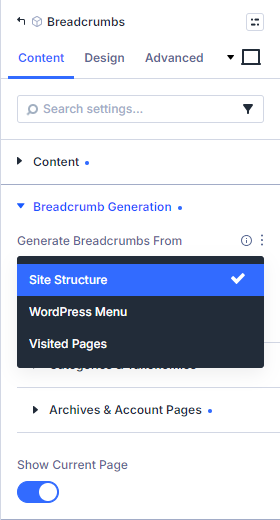
Choose the breadcrumb source that makes sense for your site.
Follow your site structure to show visitors where they are, use a WordPress menu to reflect your chosen navigation hierarchy, or build a trail from the pages each visitor has viewed.
It’s a flexible way to make breadcrumbs fit the way people explore your content.
Add Icons to Your Breadcrumbs
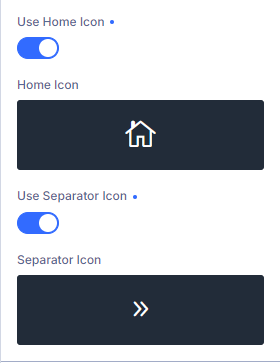
Give your trail a distinctive look with a home icon and icon separators.
Choose icons that complement your site’s design, whether you want a simple home symbol, chevrons between links, or another style that suits your navigation.
Choose Which Breadcrumbs Appear
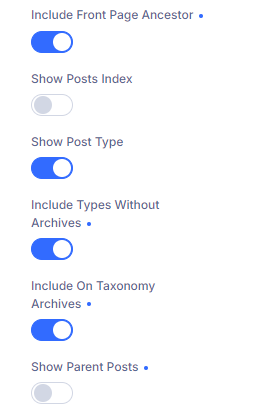
Fine-tune the items in your site-structure trails to give visitors useful context without adding clutter.
Show or hide the current page, include the posts index and categories for blog posts, or add custom post types and taxonomies.
You can also control details such as parent terms, date archives and WooCommerce account subpages.
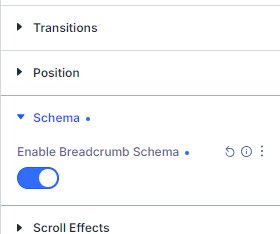
Add Breadcrumb Structured Data
Enable breadcrumb schema to provide search engines with structured information about your trail.
The option is available for each module, so you can turn it off where another plugin already supplies the breadcrumb schema you want.
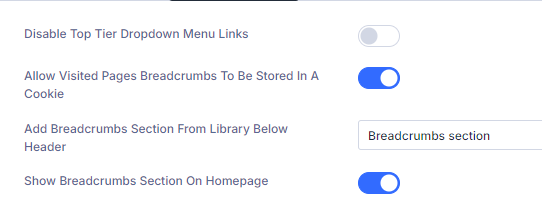
Add Breadcrumbs Across Your Site
If you're using the default Divi header, create a breadcrumb section in the Divi Library and select it in the theme options to display it across your site.
It’s a convenient way to give visitors consistent navigation without adding a module to every page individually.
Still Using Divi 4?
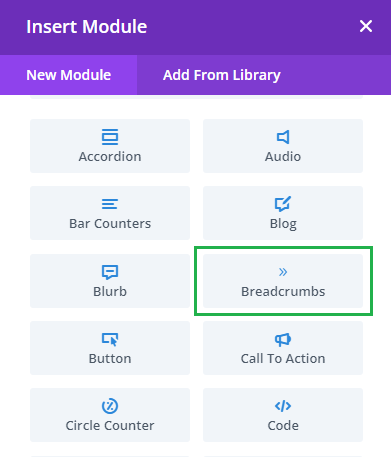
On Divi 4 sites, Divi Breadcrumbs Booster adds our original standalone Divi Breadcrumbs module, since Divi 4 doesn't come with its own breadcrumbs module.
When you upgrade to Divi 5, your Divi 4 breadcrumb modules seamlessly migrate to the built-in Divi 5 Breadcrumbs module, with the Divi Breadcrumbs Booster settings used to preserve their behavior.
This plugin does exactly what I needed it to do.
I do not have any developer skills, but support was excellent and resolved all of the questions I had quickly. I even got bonus advice regarding updates that would make my theme run more smoothly with this plugin and others.
I use multiple plugins by this developer, and would highly recommend them all.