
Easily Add PHP Code to your Divi Pages
The Divi PHP Code Module adds a dedicated PHP Code module to the Divi Builder, letting you add and run PHP code directly inside Divi pages and posts. Preview your PHP output in the Visual Builder, debug errors, and style the generated output using Divi's built-in design settings.
Divi’s Code Module Can’t Run PHP…
This One Can
Divi’s built-in Code Module is useful for adding HTML, CSS and JavaScript, but it does not execute PHP. Divi PHP Code Module adds a dedicated PHP Code module to the Divi Builder, so you can run PHP directly inside your Divi pages and display the output exactly where the module is placed.
Use it when you want to:
- add dynamic PHP output inside a Divi layout
- avoid creating a child theme just for page-level PHP
- avoid wrapping PHP in shortcodes
- preview, test and debug PHP output in the Visual Builder
How It Works
Using the module is simple:
- Add the PHP Code module to your Divi layout.
- Enter your PHP code in the module settings.
- Preview, test and debug the output in the Visual Builder.
- Publish the page and display the PHP output exactly where the module is placed.
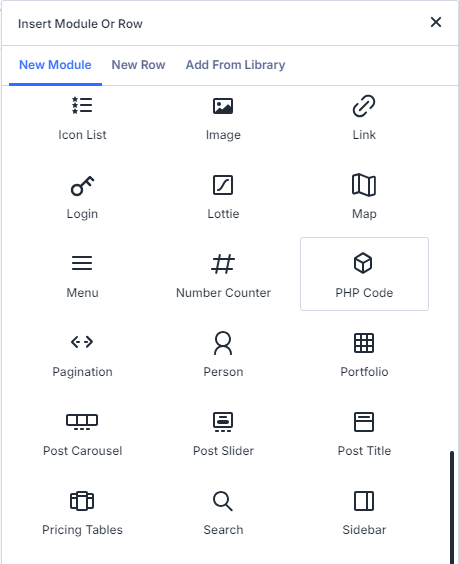
Enter your PHP Code… and you're done
Simply insert the PHP Code module into your page, add PHP code in the module's settings, and then when the page is viewed the PHP code will run and its output will be displayed where the module is on the page… like this:
An Example PHP Code Module
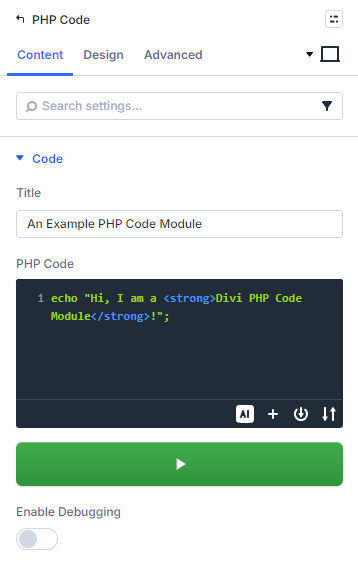
Test your code in the Visual Builder
You can quickly test and run your code right from in the visual builder. Simply click on the green "Play" button beside the PHP Code box to run your PHP code and see how it will look in the final page.
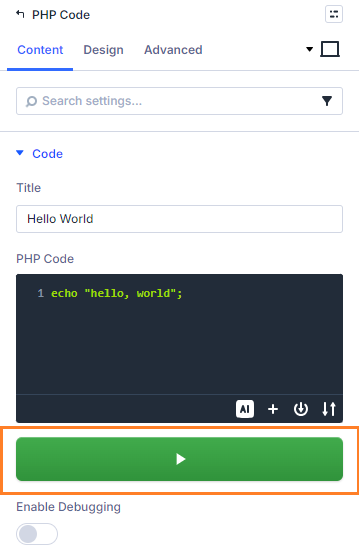
Built-in Debugging and Error Handling
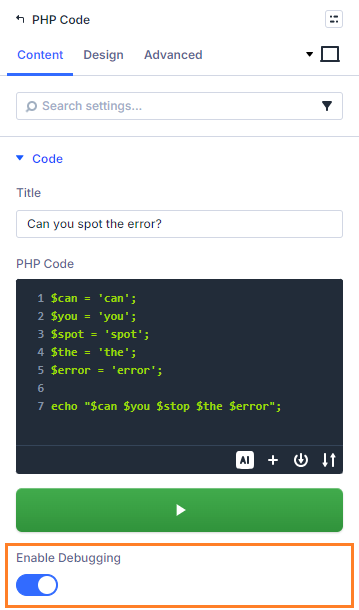
With the built-in Debug option, you have complete control over error display. Easily toggle the display of errors on or off, allowing you to efficiently troubleshoot and resolve any issues that may arise. Divi PHP Code Module incorporates robust error handling, ensuring that even if an error occurs, your website remains intact and functional.
No more broken layouts, blank screens, or frustrated visitors – just smooth and reliable performance.
Designed for Security
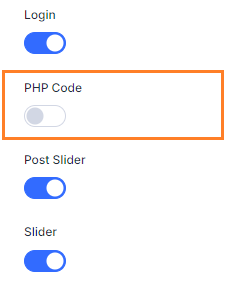
The Divi PHP Code Module has been carefully designed with security in mind, ensuring that your PHP code runs smoothly while protecting your website. With Divi Role Editor integration and cryptographic integrity checking, the module is designed to ensure that you have full control over who gets to run code on your site.
Examples
Here are a few ways you could use PHP directly inside a Divi layout:
Display Dynamic Data
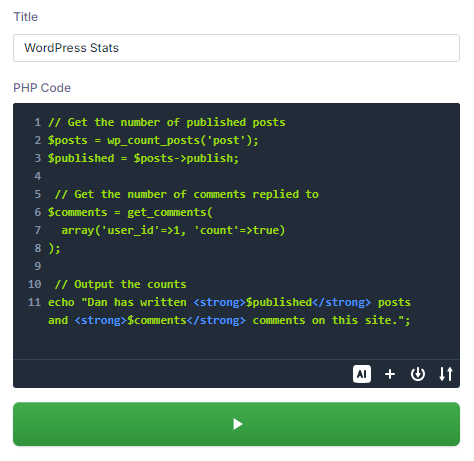
Show information from WordPress, your database, custom fields, APIs, or other sources.
WordPress Stats
Generate Tables
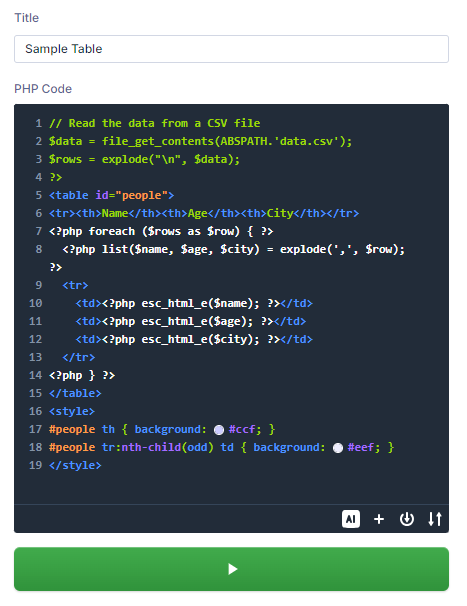
Load data from a source and output it as a styled HTML table.
Sample Table
| Name | Age | City |
|---|---|---|
| John | 25 | New York |
| Sarah | 32 | London |
| Michael | 28 | Paris |
| Emily | 30 | Sydney |
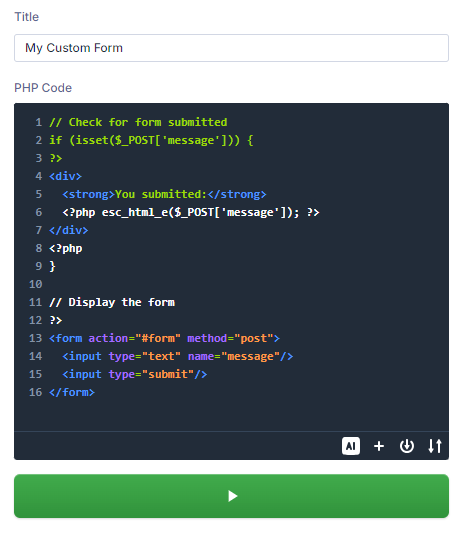
Create Custom Forms
Add forms that combine HTML output with PHP processing logic.
My Custom Form
FAQs
Can Divi’s Code Module run PHP?
No. Divi’s built-in Code Module lets you add HTML, CSS and JavaScript to your layouts, but it does not execute PHP code. If you add PHP to the native Code Module, it will not run as PHP on the page.
Divi PHP Code Module adds a dedicated PHP Code module to the Divi Builder, letting you run PHP directly inside Divi layouts and display the generated output where the module is placed.
How is this different from Divi's own Code Module?
The built-in Divi Code module and the Divi PHP Code module by Divi Booster serve a similar purpose of allowing custom code to be added to Divi layouts. However, there is a key difference in the languages they support.
The built-in Divi Code module can only handle static HTML and JavaScript code.
Divi PHP Code module, on the other hand, also allows PHP code to be added. PHP is a server-side scripting language that enables dynamic content generation. As such, it allows you to execute custom server-side logic and generate dynamic content for your layouts, something that can't be achieved through the standard Divi Code module..
By supporting PHP, the Divi PHP Code module gives you more flexibility and power. It opens up possibilities for integrating with external systems, fetching and displaying dynamic data, performing advanced calculations, etc.
Is this different from Code Snippets?
Yes. Code Snippets is a useful WordPress plugin for adding PHP snippets globally or conditionally across your site. Divi PHP Code Module is different because it lets you place PHP directly inside a specific Divi layout, just like adding any other Divi module.
Use Code Snippets when you want to add site-wide functionality. Use Divi PHP Code Module when you want PHP output to appear in a specific place on a Divi page, section, row or layout.
How do I add PHP code to a Divi page?
With Divi PHP Code Module installed, open your page in the Divi Builder, add the PHP Code module to your layout, and enter your PHP code in the module settings. When the page is viewed, the PHP runs and the output is displayed in that part of the layout.
You can also preview and test your PHP output in the Visual Builder, debug errors, and style the generated output using Divi’s built-in design settings.
So is any PHP code I add secure?
No, not necessarily. The PHP Code module aims to provide a secure environment for adding PHP code to the Divi Builder, but can't guarantee the security of any code you add.
The Divi PHP Code module is designed to only run PHP code that has been added through the visual builder interface – when code is added in this way, a keyed cryptographic hash is added which is checked before the code is actually run. Additionally the permissions set in the Divi Role Editor are checked to ensure that the user has been granted access to use the module, and by default only the administrator is granted permission – other user roles must be given specific permission to use the module. Together, these mechanisms seek to prevent anyone adding or altering code without permission.
But what the PHP code you add actually does is entirely up to you – you can add secure code or insecure code, and the responsibility for that rests with you. The functionality of added code isn't restricted by the module in any way, so you are free to use the full power and functionality of PHP. But this means you also need to be aware of the security implications of the code you add. While you could add code to let anyone run any command on your server, or to delete your database, doing so would probably be a very bad idea. So follow secure coding principles when adding code. For example, make sure you understand what the code does, avoid accepting user input (or perform whitelist validation on it, if you must), and appropriately escape data before it is used.
With the Divi PHP Code module's built-in security mechanisms and good security practices on your part, there shouldn't be any issues. I do, of course, recommend taking regular backups as a standard and sensible way to further protect your site and data.
When is the PHP code run?
The PHP code is run in the module's render() function. This means that it runs at the point in the page where the module output is being generated. As such, it runs after WordPress, Divi and any installed plugins have been loaded, which means that your code can take advantage of the functions / classes that they add. There are some things that PHP code added via the module will be too late to affect – for example, it won't be able to add filters / actions to hooks which are run before the page generation begins.
Get Divi PHP Code Module
Add a dedicated PHP Code module to the Divi Builder and start running PHP directly inside your Divi pages.