
Add QR Codes Directly in the Divi Builder
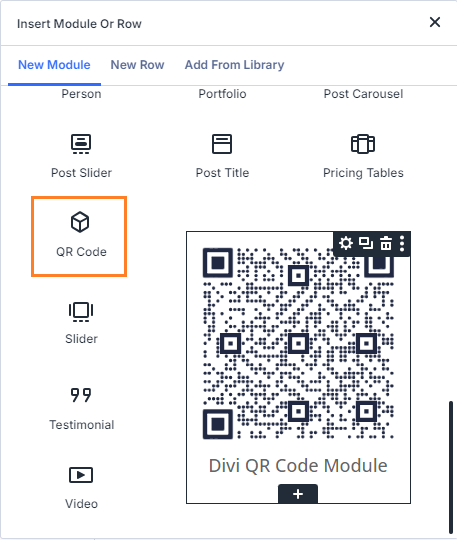
The Divi QR Code Module adds a dedicated QR Code module to the Divi Builder, so you can create and customize QR codes directly on your Divi website. Use it to link visitors to web pages, special offers, app downloads, contact details, menus, resources and more – without relying on a separate QR code generator.
Setup is simple: add the module to your layout, enter the URL or content you want the QR code to point to, and customize the design to match your site. You can also use Divi’s dynamic content feature to create QR codes inside Theme Builder templates.
Customize QR Codes to Match Your Brand
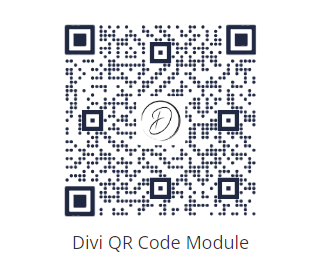
Adjust the foreground and background colors of your QR code so it fits naturally into your Divi design. You can also add a center image, such as a logo, product icon or profile photo, to make the QR code feel more branded and trustworthy.
This is useful for landing pages, product pages, event pages, restaurant menus, downloadable resources, printed materials and promotional campaigns.
Download QR Codes for Print and Signage
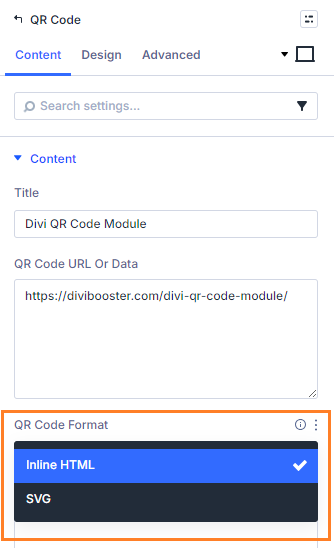
The Divi QR Code Module supports flexible output formats, including:
- Inline HTML – embeds the QR code directly into your page, making it ideal for normal website use and advanced customization.
- SVG – generates the QR code as a scalable image, ideal for downloading, sharing, printing or using on signs, flyers, menus and other offline materials.
Create Dynamic QR Codes in Divi Templates
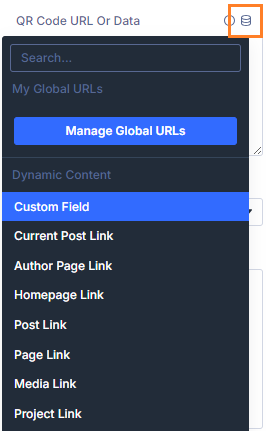
Use Divi’s dynamic content feature to generate QR codes in Theme Builder templates. This is useful when you want QR codes to change automatically based on the page, post, product or custom field being displayed.
For example, you could create QR codes for individual product pages, event pages, resources, contact pages or location-specific landing pages.
Track QR Code Scans from Your Divi Site
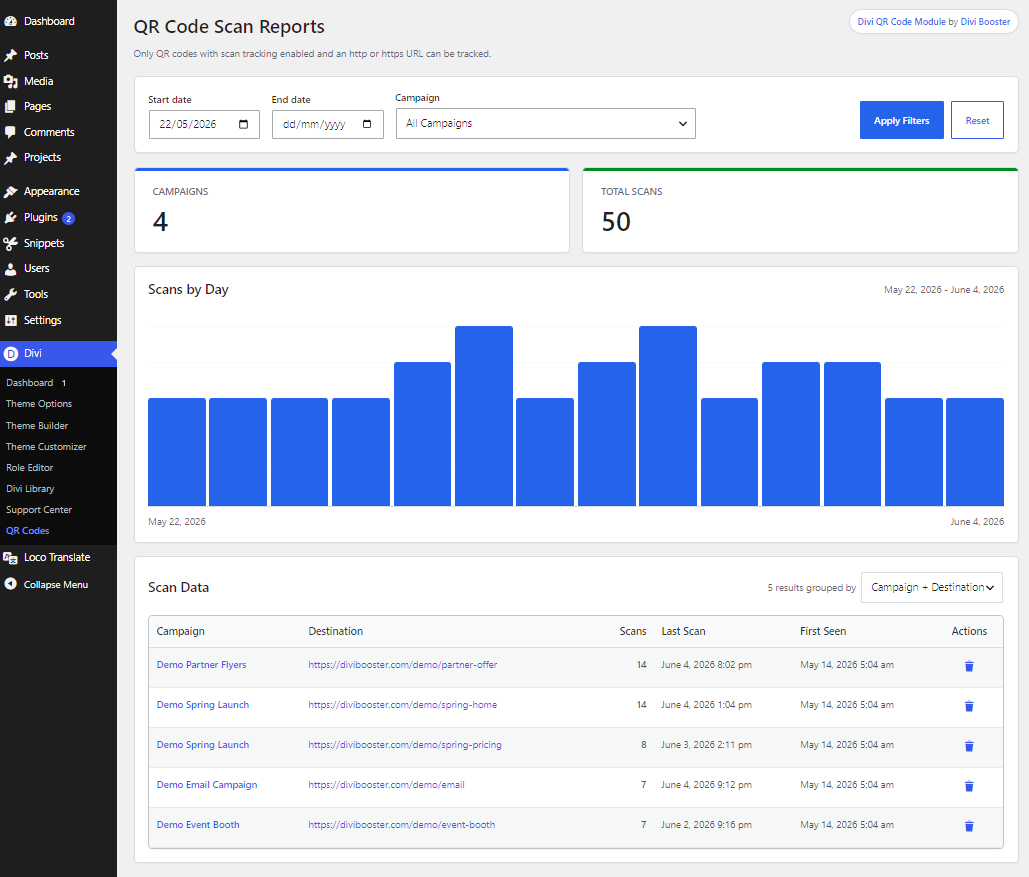
Enable scan tracking to see when your QR codes are being used before visitors are redirected to the final URL. You can group related QR codes into campaigns and view scan activity from your WordPress dashboard, helping you understand which printed materials, events, promotions or placements are sending visitors to your site.
This is useful for flyers, posters, product packaging, event signage, menus, business cards, downloadable PDFs, direct mail campaigns and other offline marketing materials.
FAQs
Can I create QR codes directly in Divi?
Can I customize the QR code design?
Can I download QR codes for print?
Does the module support Divi dynamic content?
Can I use this to add vCards?
What information does the tracking feature store?
The QR Code scan tracking feature is designed to collect only QR-code-level scan statistics, not information that identifies the person scanning the code.
When scan tracking is enabled, the plugin records:
- The QR code’s destination URL
- The QR code label or title
- The campaign name, if one is set
- The page/post ID where the QR code appears
- The total number of scans
- The date and time of scans
- Daily scan totals
It does not collect scanner-identifying analytics such as IP address, user agent, browser/device details, geolocation, cookies, email address, name, logged-in user ID, or referral information.
The tracking is intentionally limited and should generally be suitable for privacy-sensitive analytics where only aggregate scan counts and timestamps are needed. However, care should be taken not to include protected health information or other sensitive personal information in the QR code destination URL, campaign name, QR code title/label, page title, or any other field used to identify or group the QR code in reports.
Note that the plugin itself has not been independently certified as compliant with standards such as HIPAA. Your site's compliance may depend on how the site is configured, what information is entered into the QR code fields, how WordPress and the hosting environment are secured, and the organization’s wider privacy and security controls.
Get Divi QR Code Module
Add flexible, customizable QR codes to your Divi website today.