

Add Opening Hours Structured Data with the Divi Opening Hours Module
The Divi Opening Hours module can output structured data based on its schedule. You’ll add the module to your layout, enable structured data in its settings, and check the published page’s JSON-LD – a format search engines use to read structured data.
This method has been tested on, and is compatible with, Divi 5.
Get the Module
The Opening Hours module is provided by our dedicated plugin. If you haven’t installed it yet, download and install the plugin to add the module and follow the steps below.
You can get the plugin here:
Add the Opening Hours Module
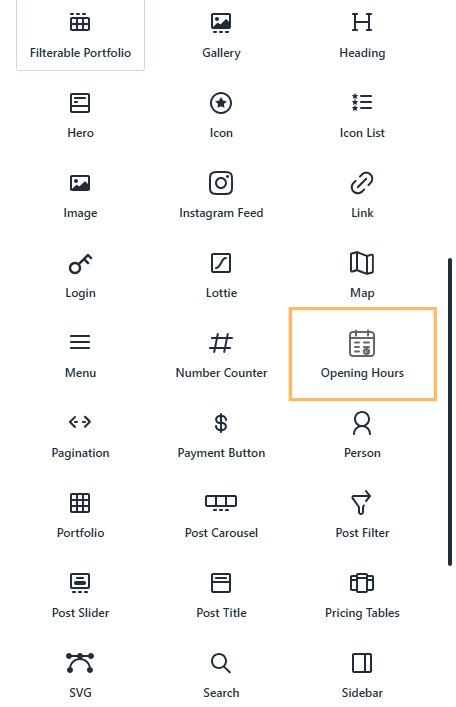
In the layout where you want the schedule to appear, open the module picker and select “Opening Hours.” You can place the module in a new or existing layout area, depending on your page design.
Enable Structured Data
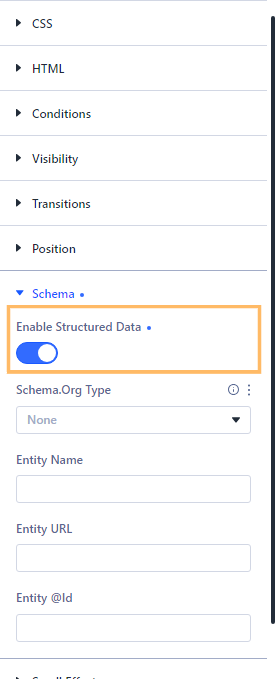
Open the module settings and go to “Advanced” > “Schema.” Expand the Schema settings, then turn on “Enable Structured Data.”
Choose a Schema.org Type and Enter Entity Details
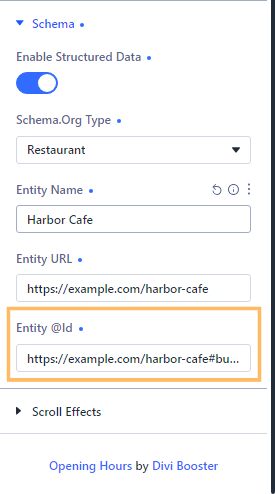
Choose the Schema.org type that best describes the business associated with the schedule. Restaurant is used in this example; select a suitable type for your own use. Enter the entity name, URL, and @id in the fields provided. These should identify the business represented by the opening-hours schedule.
Publish the Page and Check the Schedule
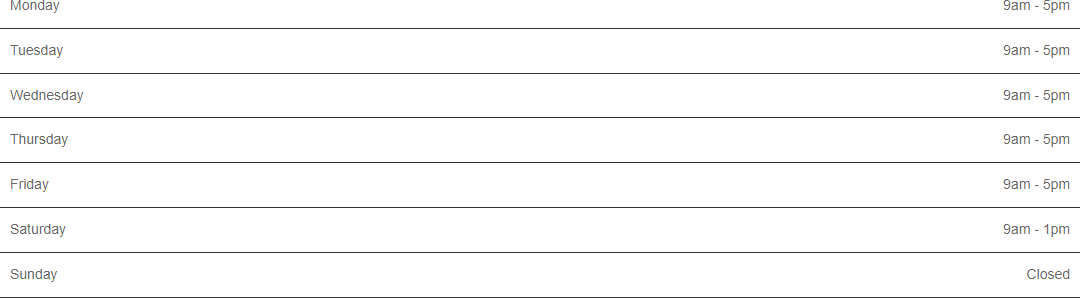
Publish the page, then view it on the front end. Confirm that the Opening Hours schedule is visible and displays the hours you intend to share.
Check the Generated Structured Data
Inspect the published page source and locate the `application/ld+json` script. Confirm that it contains valid JSON with an `@context` of `https://schema.org`, and that the entity details match the values you entered. Check that the opening-hours data reflects the schedule shown on the page. In this example, Monday is listed as open from 9:00 a.m. to 5:00 p.m., while Sunday is omitted because it has no open hours.
You can also ensure your schema can be correctly read using the schema.org schema validator tool.
Take It Further
We have a basic setup guide, if you'd like to learn more about setting up the Divi Opening Hours module. If you’re interested in adding other structured data to your site, you may also want to add FAQ schema to a Divi Accordion module.
Conclusion
You’ve added structured data for an Opening Hours schedule and checked that the published page includes the expected hours. If you’re trying to represent a different schedule or business type, leave a comment or get in touch.

0 Comments