

Customize Footnote Reference Text with the Footnotes Module
Our Divi Footnotes module lets you match a phrase in your text to a footnote, then choose the label that appears beside that phrase and in the footnotes list. You can include the `%%index%%` placeholder in a label to show the footnote number automatically. The module is provided by our dedicated plugin.
This method has been tested on, and is compatible with, Divi 5.
Get the Module
The Divi Footnotes module used in this guide is provided by our dedicated plugin. If you don't already have it, download and install the plugin to add the module to your Divi layouts.
You can get the plugin here:

Add the Footnotes Module
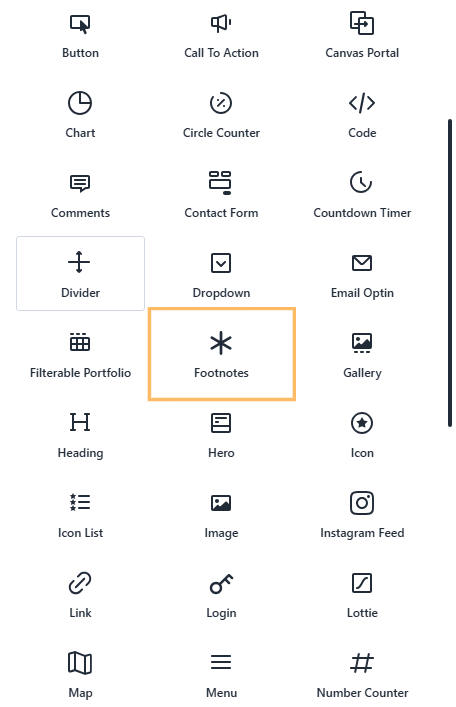
In the layout where you want the notes to appear, add a Footnotes module. You can place it near the text that contains the phrases you want to match, such as below the relevant Text module.
Configure a Footnote and Its Reference Text
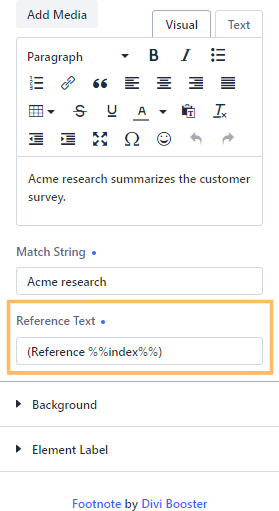
Open a footnote item's settings. Enter the note in the Content editor, then set the Match string to a phrase that appears in your page text. In the Reference Text field, enter the label you want to display. For example, you could use `(Reference %%index%%)` to keep the parentheses and have the placeholder replaced with the footnote number. The match string `Acme research` and a note such as `Acme research summarizes the customer survey.` are examples – use text and a label that suit your content.
Add and Configure More Footnotes
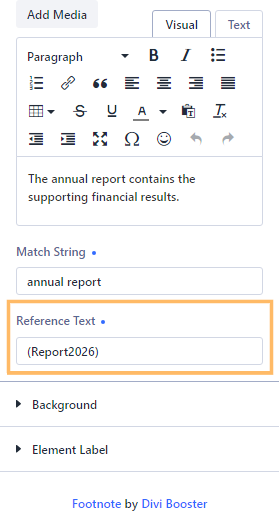
If you have additional sources, add another Footnote item using “Add Element” in the module settings, then open the new item's settings. Enter its note, a Match string that appears in your text, and the Reference Text label you want readers to see. A label such as `(Report2026)` is another example; you can choose whether to include `%%index%%` in each label.
Save and Review the Page
Save your changes and publish the page if it is not already published. On the published page, check that each matched phrase is followed by your chosen reference label, with punctuation preserved and `%%index%%` replaced by the footnote number where you used it.

Check the Footnote Links and Notes
Click a reference in your text and confirm that it takes you to the corresponding note. Check that the note displays the label and content you configured.

Conclusion
You can now match text to footnotes and customize how each reference label appears, including using `%%index%%` for numbered labels. If you're trying to customize another part of your footnotes, leave a comment or get in touch.


0 Comments