
Divi Booster
Customize Divi Without Code - Build Better Sites Faster
- Add powerful new Divi features instantly
- Customize headers, layouts, modules & mobile
- Save hours on every site build
Compatible with Divi 4 & 5
Compatible with Divi 4 & 5
WP 6.9+ Compatible
Why Divi Booster?
Saves You Time
Build your site faster with less effort:
- Fix common Divi issues in seconds
- Avoid hunting for code snippets
- Skip hours of CSS and troubleshooting
Less time fixing. More time building.
Packed with Features
Get the settings Divi is missing:
- Add 100+ new Divi settings
- Extend modules with powerful settings
- Control every part of your site
Everything you need in one plugin.
Easy to Use
Using Divi Booster is simple:
- Install the plugin
- Enable the features you want
- Instantly improve your site
No coding. No complexity.
"Divi Booster is a great product and we’ve never really needed support for it but, on the one occasion we needed advice, Dan was super helpful." – Will Nuttall, Absolute Media
Trusted by 33,000+ users on 75,000+ sites for over 10 years
See what you can do with Divi Booster
Add powerful new controls across Divi and its modules – without writing code.
Enhanced Divi Modules
Add powerful new controls to Divi’s built-in modules
Extend blog, gallery, video, and more
Add missing settings directly where you need them
Customize modules without CSS

Header & Navigation
Customize your Divi header in minutes – no code required
Rearrange header elements
Customize sticky header behavior
Improve dropdown menus and spacing


Social & Custom Icons
Add and customize icons across your site
250+ additional social icons
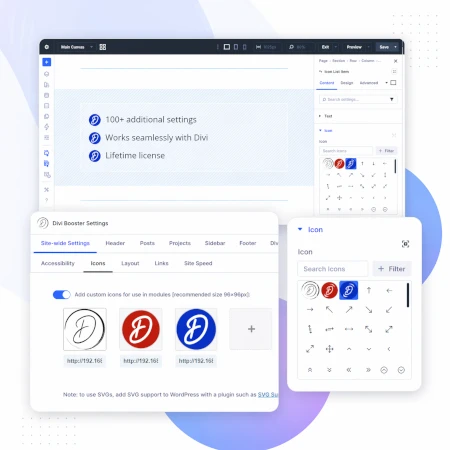
Upload your own custom icons
Use icons across multiple Divi modules

Blog & Content Enhancements
Improve how your blog content looks and works
List tags in your blog modules
Filter the blog module by author
Customize pagination text


Gallery & Media Control
Take full control of images and sliders
Customize sliders and navigation
Control image sizing and layout
Disable unwanted animations

Accordion & Counters
Make interactive elements more flexible
Start accordions open or closed
Let users fully collapse sections
Customize counter behavior and timing

Video Module Enhancements
Get more control over your video modules
Autoplay, mute, and loop videos
Hide player controls
Limit YouTube related videos
Contact Form Improvements
Make your forms more powerful and reliable
Send confirmation emails automatically
Block spam by email, domain, or keyword
Developer & Advanced Tools
Extra control when you need it
Built-in CSS manager
Optimize JS and CSS loading
Import and export settings
And Lots, Lots More…
Divi Booster comes packed with everything you need to build more powerful and awesome Divi sites in less time
Trusted by Divi Users Worldwide
"Divi Booster is a great product and we’ve never really needed support for it but, on the one occasion we needed advice, Dan was super helpful."
"This plugin does exactly what I needed it to do. I do not have any developer skills, but support was excellent and resolved all of the questions I had quickly."
"Divi Booster is fantastic. I used this plugin to improve the header area and footer area on a client's website. My client is very pleased."
Frequently Asked Questions
What is Divi Booster?
Divi Booster is a WordPress plugin that adds 100+ new features and customization options to the Divi theme. It lets you modify layouts, modules, headers, and more – without writing code.
Do I need coding knowledge to use Divi Booster?
No. Divi Booster is designed for non-developers as well as professionals. You simply install the plugin and enable the features you want – no CSS, PHP, or JavaScript required.
Does Divi Booster work with Divi 5?
Yes. Divi Booster is actively maintained and compatible with both Divi 4 and Divi 5, with regular updates to ensure ongoing compatibility.
Can I use Divi Booster on client websites?
Yes. You can use Divi Booster on client sites. The 3-site and unlimited licenses are especially popular with freelancers and agencies building multiple websites.
What kind of features does Divi Booster add?
Divi Booster adds a wide range of enhancements, including:
- Additional settings for Divi modules
- Header and navigation customization
- Blog and content improvements
- Layout and spacing controls
- Lots more icons
Overall, it gives you much more control over how Divi works – without needing custom code.
Will Divi Booster slow down my website?
No. Divi Booster is designed to be lightweight. You can enable only the features you need, so unnecessary code isn’t loaded. In some cases, it can even help improve performance by reducing the need for custom scripts.
How is Divi Booster different from other Divi plugins?
Divi Booster focuses on adding practical, real-world improvements to Divi – things users frequently need when building sites. Instead of being a niche add-on, it acts as an all-in-one toolkit to extend Divi’s core functionality.
How do I install Divi Booster?
After purchase, you download the plugin file and upload it via your WordPress dashboard (Plugins → Add New → Upload Plugin). Once activated, you can enable features directly within Divi.
Do you offer support and updates?
Yes. Divi Booster includes ongoing updates and support. The plugin has been maintained for over 10 years, with regular compatibility updates for new versions of WordPress and Divi.
Is there a refund policy?
Yes. If Divi Booster isn’t the right fit for your needs, you can request a refund within the specified refund period (90 days).
Can I enable or disable individual features?
Yes. Divi Booster is modular – you can turn features on or off individually, so you only use what you need for each site.
Where can I see the full feature list?
You can view the complete list of features here:
** Latest update Version 2.6.4 causing conflict **
Hi Dan, after updating the latest 2.6.4, it has created some issues for me as of today Nov 24th. The footer widgets have lost left side padding (it works ok when plugin is deactivated). Is this something you are aware of universally, and is there a fix coming soon? Was due to launch a client site today, had to postpone. An unfortunate kind of Black Friday for me!
(Love the plugin btw)
Hi marcus, sorry to hear this. I'm not aware of any issues with the footer widget padding and when I replicate the Divi Booster code from your site on my test site, the footer widgets are unaffected, so I'm not sure what exactly is going on here. It might be that there is something particular to your footer widget setup which is setting up the right conditions for the issue to occur. If you are able to re-enable the footer widgets on your test site, I'll take a look and see if I can pinpoint the source of the problem. Thanks!
hi dan, thx for prompt reply. The issue occurs only on mobile, not desktop. DvB activated now if you want to check on mobile. Or do you want me to deactivate it?
thx
further: having tested again, it is related to the setting ' Set mobile content width:100%'. This setting affects the footer too. Is there a way to avoid the footer being affected?
thx again
Hey marcus, thanks for the updates and nice work tracking it down. I've addressed this in the next version (2.6.5) which I'll release in the next day or so. I've split out the footer width part of the code into its own option. For consistency, this option (which will be found under "Footer > Set footer content width") will initially inherit the existing mobile content setting width / enabled state. If you go in and disable it, that should sort out the padding on your footer widgets. Let me know if you have any questions about it, etc. Cheers!
I am building a site on a local server and had Divi Booster installed. It has somehow disappeared around the time I upgraded to Wordpress 4.9. When I try to reinstall, I get an error message that the install failed because the destination folder already exists. How can I get it back?
Hi Palma, to get it back, open up the folder in which your Wordpress files are installed, and from there go to wp-content/plugins. Then locate and delete the divi-booster/ folder. You should be able to re-install without errors after that. Let me know you have any questions, etc. Thanks!
Heard a lot of good things about this plugin and looking forward to getting to use it.
I just bought it and have the receipt from PayPal, but I didn't get a download or an email with any instructions on how to get the plugin.
Please tell me how to get in touch to get the product.
Thank you!
Hey Pam, thanks for purchasing the plugin and sorry the purchase confirmation email didn't come through. I've just resent your purchase confirmation email (which contains the download link), so hopefully you'll receive it shortly (check in your spam folder if you don't see it). Please let me know if you still don't receive it. Thanks!
Hi, I seem to be having issues with the latest Divi update in regards to deleting or adding new social links. It will not let let me publish – can you help please?
Hi Stuart, it was actually caused by the latest update to Wordpress (4.9). WP made some significant changes to the customizer, one of which affected the social media icon feature.
I've just released Divi Booster 2.6.2 which contains a fix I believe will solve the issue. If you're still unable to publish after updating, please let me know. Thanks!
I'm having an issue with Divi Booster and WordPress 4.9 where if I use the Theme Customizer to add additional social media icons, the Published button doesn't seem to work. It stays grayed out.
It does work with other sections, such as General Settings, etc. but not with Divi Booster.
I've also tried it on using the latest version of Chrome and Firefox.
Hi Michael, WP 4.9 made some significant changes to the customizer, one of which affected the social media icon feature.
I've just released Divi Booster 2.6.2 which contains a fix I believe will solve the issue. Let me know if you are still having problems after updating. Thanks!
hi dan, one question. since the last update I have problems with sliders which are included as global object. the elegant themes support asked me to make the test with deactivating divi booster and checking if the problem still appears.
my question: are the divi booster configurations still available whein I deactivate and active divi booster again?
regards,
dagmar
Hi dagmar. Yes, the configuration options are saved in the database, so all your settings will still be set the same as they were when you re-activate Divi Booster. Also, if you haven't already, be sure to update to the latest version of Divi Booster. There was an issue a while ago with global sliders, which I fixed at the time. I'm not aware of any at the moment, but if you do find the problem goes away when Divi Booster is deactivated, please let me know. Thanks!
Hey Dan!
First off, thank you for the super useful plugin!
I just updated Divi on a site I'm working on that makes use of the Button #2 option that Divi Booster adds to the Fullwidth Slider module, and after updating my 2nd button disappeared. The fields to add it still appear in the module, but the button does not appear on the slide anymore.
Any help would be appreciated!
Jessica
An addendum that I just discovered – toggling "Show CTA On Mobile" to "Yes" brings it back (when it disappeared it also disappeared on Desktop). Hmmm.
Hey Jessica, that's interesting… I'm not sure what's going on here. Is there any chance you're able to send me a link to the page with the slider so that I can take a look at how you have it set up? Also where are you seeing the "Show CTA On Mobile" toggle? I'm probably just being dense, but I can't see it! Thanks!
Hi Dan,
When I activate Divi Booster for custom pages (Learn Dash LMS), the plugin makes those pages full-width. Please let me know how I can take control of custom pages margins. I don't need a full-width mode.
Hi Neon, I'm not quite sure why this is happening. Divi Booster shouldn't be making the Learn Dash custom pages full-width; it should just be placing the layout where the text from the regular editor box normally goes.
I'm not aware of any way Divi Booster could be making the custom pages full width. In fact, I even wrote a post on how to convert the Divi Booster feature to make the layout full-width:
https://divibooster.com/make-divi-builder-full-width-on-learndash-course-pages/
If you happen to have added the code in that post to your site, then removing it should restore then normal (non full-width) behavior.
If that isn't the problem, is there any chance you can send me a link to an example page showing the problem so that I can take a look at what's going on?
Thanks!
Thanks, Dan, for your response. Please note that I didn't add the code in the post.
The website is being developed and in the coming soon mode. However, I disabled that mode temporarily so that you could have a look.
Please go to
https://citizenshipacademy.ca/courses/citizenship-preparation-tests/
As you can see Course Content/Quizzes (which is underneath the description) looks full-width. I use Safari and Chrome. That happened after I enabled the Divi visual builder. In order to make it normal, I have to use default editor in WP dashboard. However, it doesn't allow me to use the Divi Builder for custom pages then. A catch-22.
Please let me know your thoughts. Your help would be very much appreciated.
Also, please let me know once you're done so that I could enable the coming soon mode.
Thank you very much!
Thanks Neon. You can go ahead and re-enable the coming soon mode. I think I've seen what the main issue is, and I'll dig into it over the weekend and hopefully be able to figure out what's causing it / how to fix it. I'll let you know if I need to take another look. Thanks!
Hi Dan,
I updated the plugin but it doesn't make a difference. Please let me know if you have any ideas how to fix the problem. Thanks.
Hey Neon, I've just released an update (v2.6.3) that I think should help you with this. As you've noticed, when the Page Layout is set to fullwidth as it is on your site, LearnDash's Course Content and other sections are stretching to fill the fullwidth page. To solve this, the update makes it possible to display the "Page Layout" setting when the Divi Builder is enabled on LearnDash pages (normally the "Page Layout" option is available right up until you enable the Divi Builder at which point it disappears). This lets you choose between a left sidebar, right sidebar and fullwidth page layout. The option, when enabled, also adds some CSS to make sure each of these layouts displays correctly. Only the Divi Builder content itself will now be made fullwidth.
After updating, please enable the following option on the Divi Booster settings page (if not already enabled):
Divi Builder > Standard Builder > Add Page Layout option on Divi Builder pages / supported CPTs
Once enabled, go to your course / lesson edit screen. With the Divi Builder enabled, you should now see an option in the purple "Divi Custom Post Settings" box to the right of the edit page. Set this to your choice of fullwidth, left sidebar or right sidebar, and then preview / publish the LearnDash page. Hopefully it will now display as you'd expect.
Let me know if you have any questions about it, etc. Thanks!
Hi Dan,
today i have installed newest divi booster on my clients website, build with the latest divi version. After activating the booster, all titles, texts etc. on the website changed to a small unknown font. Do you have any suggestions to fix this problem?
Thanks!
Hi Ulrich, I haven't heard of this happen to anyone else, so I'm not sure what would be causing it. Is there any chance you can send me a link to the site (either here or through my contact form) so that I can take a look for you? Thanks!
Hi Dan, thanks for your answer. Sorry for the delay, but i'm in a hurry to set up the new site. I'm gonna rebuild it from scratch (made no backup before installing Booster :-(
I think only looking at the damaged site would not really help me. The Problem maybee comes from the excessive Divi updates in the last time. In some FB-Groups, many peoples have reportet about different Problems when they have updated their sites.
If you want you can have a look to my damaged site. After the main Navigation, there should be a big Picture in the first section. The Image has disappeared… then all Fonts Looks not so how they are defined (i define one Google font: source code pro).
Formatting of the blurbs with the Image on left side has also been corrupted. And there are many other Problems, the last you can see in the footer line: i never had defined a font named Monospace.
And finally, i swear: before installing divibooster, all was looking fine.
Thanks!
Hi Ulrich, looking at the damaged site I think it was in fact a result of the same Divi update problems that others have been having.
The Divi update includes a feature which takes a lot of different bits of CSS and combines them into a single file (to help site speed). The problem comes when there is an error in one of the bits of CSS. On its own it may not be noticable, but when it is placed into a combined file it can start to affect all the other CSS after it.
This seems to be what happened on your site. I can see, for instance, that there is CSS in the file for adding the picture to the first section. But there is an error earlier in the CSS file which prevents that CSS from working. Likewise, checking with a CSS validator, I can see errors relating to fonts and blurb images in Divi's combined CSS file.
Disabling the Divi CSS feature might be enough to get that site working properly again. This post has details on how to disable the feature in Divi:
https://www.sean-barton.co.uk/2017/09/how-to-turn-off-divi-minification-and-static-css-file-generation/
I don't see anything to suggest any of the problems you are seeing are Divi Booster related. I could be wrong, but I suspect the timing might have just been coincidental.
I hope you were able to get the new site up and running, but let me know if you do want to track down / fix the CSS issues in the old site.
Hey Dan, I tried to purchase with CC. I put in my info and then it took me from the Paypal CC screen to another paypal screen to input it all over again. I am hesitant to enter my CC info twice as I have had nothing but issues with PP over the years. Just thought I would let you know in case there is some issue with the PP widget or payment link.,
Hi Robert, thanks for letting me know. I can see from my system that your CC purchase has gone through correctly, so you should hopefully have already received your purchase confirmation email.
On the checkout there are two payment options. One is "Paypal" and the other is "Credit Card", which is processed by Stripe (rather than PayPal). It looks like your payment was actually made using the Stripe option (i.e. on the "Credit Card" tab). I'm not sure how you would have ended up back at the PayPal option. The only way I can think of that you'd be able to go from having submitted the CC information using the "Credit Card" option and end up back on the default "PayPal" payment screen would be if the back button (on the mouse or browser) was accidentally hit. I've just tested both payment methods and they are working correctly for me, but I'll keep playing around and see if I can trigger the issue you described. Let me know if you have any questions, etc, or if it sounds like I've misunderstood you. Thanks!
******* BUG CAUSED with Divi Booster *******
Hello Dan, first I want to thank you for such a great plugin. It's helped in so many ways on all of my divi sites.
However, I recently ran into an issue on my divi sites where any slider with more than one slide collapses. What happens is that the first slide should be the first child of .et_pb_slides and therefore receive display: table-cell. However, a random tag gets added before the first slide and becomes the new first child. Since the first slide does not get the table-cell display, it stays as display none.
I turned off all plugins and the slider bug stopped happening. I turned them all on one by one and found that turning on divi booster immediately caused the slider bug to start happening again. Here is a link to a video of this happening:
https://www.dropbox.com/s/gxrjjwb3lnu36z6/divi%20booster%20and%20slider%20bug%20issue.mov?dl=0
Can you please let me know if this makes sense to you and what should be done from here? You have my email so feel free to communicate with me that way.
I also included the link to the exact website page this happens on.
On my other sites, if I disable WP auto p tags, this issue does not happen, even with divi booster enabled.
Looking forward to hearing from you.
Hi Mark, I've just sent you a reply by email, but thanks again for taking the time to provide the detailed information on what you were seeing. I've released an update to Divi Booster (v2.5.8) which I believe should fix the issue. Let me know if you still have any trouble with it after that. Thanks! Dan
Hi, the divi booster doesn't work for me. I've installed it correctly but there is no option to add a URL to a backhround image on the slide. There is just not that option! That's what I want the most
Hi Zoe, sorry about that. The recent Divi update made some changes which stopped the option from showing up. I've just updated Divi Booster (v2.5.8) to fix this. Let me know if you have any trouble with it after that. Thanks!