
Disable the Custom Post Type Crumb in Divi Breadcrumbs Module
The Divi Breadcrumbs Module by Divi Booster now includes a "Show Custom Post Type Crumb" setting. This setting allows users to disable breadcrumbs for custom post types, such as "Projects," from their navigation structure.How to Disable Custom Post Type Crumb Here's...
Add a Parallelogram Background to a Divi Button Module
Looking to add a unique twist to your Divi Buttons? Styling a Divi Button’s background as a parallelogram is a striking way to enhance your page design. Follow the steps below to achieve this effect using custom CSS in Divi. Before diving into the steps, here’s a...

Creating a QR Code Generator in Divi
QR codes are an effective way to direct users to specific URLs quickly. By integrating a QR code generator into your Divi site, you can allow your users to generate their own QR codes and track how often the QR codes are scanned. In this post, we'll guide you through...
Automatically Sync Divi Image Module Alt and Title Fields with the Media Library
In this post, we'll cover how to dynamically sync the alt and title attributes of the Divi Image Module with the information stored in the WordPress Media Library. This enhances accessibility and SEO by ensuring the correct use of image attributes. While Divi will...
Customizing Split Test Variant Weighting in Divi
The Divi Leads split testing (or A/B testing) system is a powerful feature in Divi that helps you optimize your website's performance by comparing different versions of content to see which one performs better. By default, Divi uses a "Round Robin" technique to...

Add an Inset Border to the Divi Image Module
Adding an inset border to an image module in Divi can enhance your design by creating a distinguished look for your images. In this guide, we'll show you how to add a border inside an image using custom CSS. Here's an example of the effect we're aiming for:Add an...
Add a Parallelogram Background to a Divi Column
Looking to add a unique twist to your Divi columns? Styling a Divi column’s background as a parallelogram is a striking way to enhance your page design. Follow the steps below to achieve this effect using custom CSS in Divi. Before diving into the steps, here’s a...

Hide Divi Gallery Module Slider Navigation Dots
The Divi Theme comes with a gallery module which lets you display pictures in images in both a grid and slider format. The Divi gallery module displays navigation control dots when in slider mode. If you'd like to hide these, here's how you can.See this post if you'd...
How to Add the Post Updated Date in Divi's Dynamic Content
Divi's Dynamic Content feature is great for enhancing your post/page templates with post-specific information. While Divi includes an option to show the Post Created Date using Dynamic Content, there is no equivalent option for the Post Updated Date. If you'd like to...
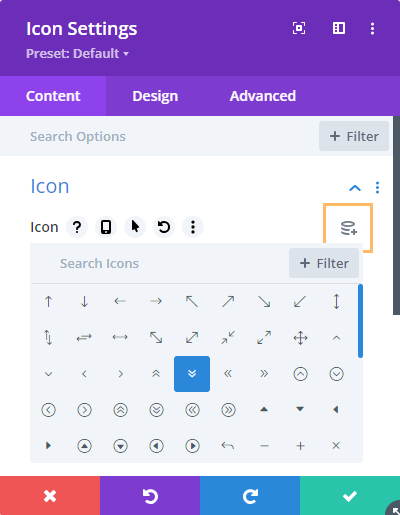
Use Dynamic Content on Divi Icon Settings
Divi's Dynamic Content feature is really useful for inserting details into your Divi layouts / templates. However, it doesn't include support for icons. If you'd like to be able to use dynamic content on the icon pickers in your Divi modules, here's how you...