
Using Divi Booster on WordPress Multisite
Latest: Divi Booster appears to be working with WordPress Multisite, though it is still undergoing testing. Current Status Divi Booster appears to be working with WordPress Multisite. It is possible to install it as a network plugin, and to configure and apply...
Divi Booster Updates and Divi Booster Update Notifications
Here's how to get notifications of Divi Booster updates, and how to apply those updates. Step 1: Activate Your License Key To get Divi Booster updates, you need to activate your license key. Your license key can be found in the purchase confirmation email you should...
Add Comments to the Sixteen Nine Homepage
If you want to display the comments after each of the posts on the Sixteen Nine WordPress theme homepage, you can do so by first adding the following at the end of the theme's functions.php file: function add_comments_to_homepage() { if (is_home()) { global...
Add Dividing Line Between Divi Sidebar Widgets
To add a dividing line between the individual widgets in the Divi Theme's sidebar, we can add the following CSS: #sidebar .et_pb_widget { border-bottom: 1px solid #ddd; padding-bottom: 20px; margin-bottom: 20px; } #sidebar .et_pb_widget:last-of-type { border-bottom:0;...
Changing the Divi Post Title Style
To change the style of the post titles in the Divi Theme, you use CSS like the following: .single h1 { font-family: Courier; font-size: 30pt; color: green; border-bottom: 1px solid #ddd; } This example change the post title font to Courier, makes the font size bigger,...

Extra Theme by Elegant Themes
Elegant Themes are looking to follow up on the huge success of their Divi Theme with a new magazine-style theme called "Extra". The guys at Elegant Themes haven't announced a release date for the Extra theme. In mid-October ET founder Nick Roach said that Extra could...
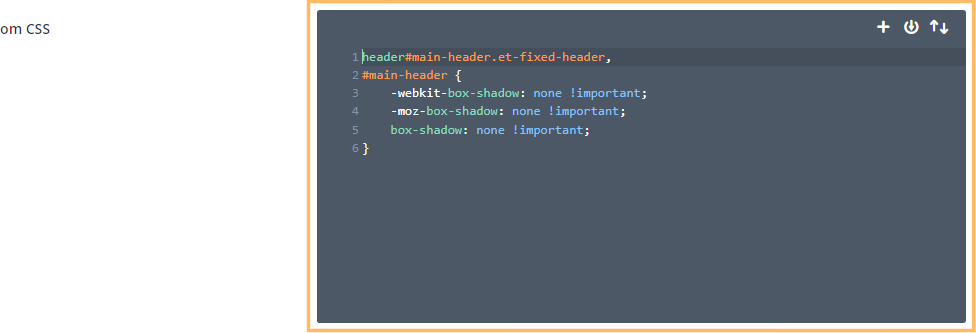
Removing the Divi Header Bottom Border
Eliminating the bottom border bar from the Divi standard header creates a cleaner and more modern look on your website. This change can help your header blend seamlessly with the rest of the page, offering a sleeker appearance and improved visual consistency. In this...
Prevent Distortion on Divi Gallery Images
The Divi Theme gallery module has a grid view which shows thumbnails of the images in the gallery. Sometimes the thumbnails will appear distorted, as small images are stretched to fill the thumbnail area. To prevent the image stretching, we can use the following CSS:...
Put Divi Slide Images on the Right
Divi includes a slider module (and fullwidth slider module) which lets you display a slideshow of slides, each containing a description and (optionally) an image. By default the image is on the left and the description on the right. If you'd like to swap the position...
Make Divi Featured Images Full-Width
By default, the Divi Theme shows featured images at the top of posts, just after the post title. Here's how to have the featured images fill the full content width, above the post title (and sidebar). First, we can put the image into position with the following...