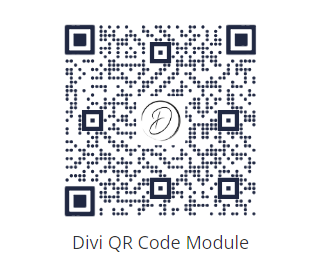
Add a Branded QR Code in Divi

News: Divi Code Snippet Module now supports Divi 5

Written by Dan Mossop

To create a branded QR Code in Divi, you can use the Divi QR Code module and its "Center Image" feature. This lets you add an image / logo in the center of the QR code, perfect for promoting your brand or adding a unique twist to your QR Codes. The image is displayed in a constrained square overlay so the QR code remains readable while supporting your branding.

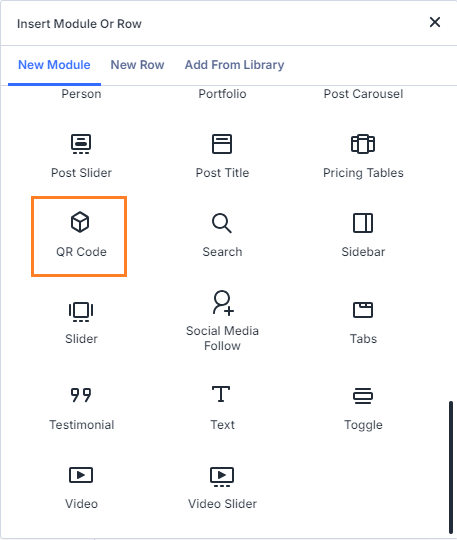
Add the QR Code Module

In the Visual Builder, add a QR Code module to your page layout where you want the code to appear.
Enter the QR Code Content

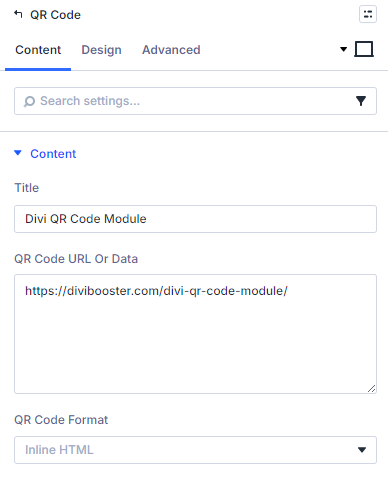
Open the module settings and enter the destination URL or data in QR Code URL or Data.
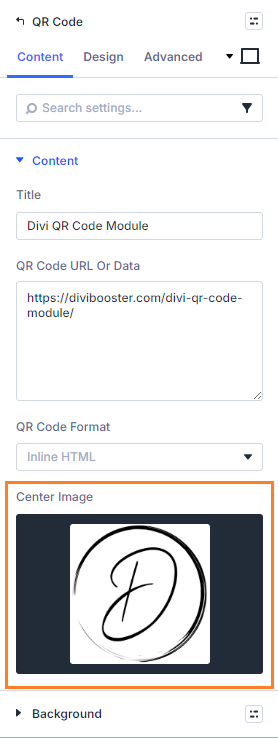
Upload a Center Image

In Center Image, upload or choose an image from the media library.
The image will appear in the middle of the QR code inside a square area sized to preserve scan reliability.
Save and Publish

Save the module settings, then save/publish the page.

View the QR Code on the Page

Open the page on the front end and confirm:

  • the QR code renders correctly
  • the center image appears in the middle
  • scanning still works as expected

Conclusion

And there you have it… a simple way to add custom branded QR codes to your site, with your own choice of image / logo.


We may earn a commission when you visit links on our website.

Simplify QR Code Integration on Your Divi Website

Effortlessly add customizable QR codes to your Divi pages with the Divi QR Code Module. Enhance user engagement and drive conversions by linking directly to offers, apps, or web pages. Match your site's design easily and connect with your audience like never before.

Latest Posts

Add Text Before the Number in the Divi Circle Counter

Adding a custom number prefix to your Circle Counter lets you clarify what the value represents—such as currency, units, or labels—without relying on the default percentage format. This helps your counters better match real-world metrics and keeps the design...

Add a Second Line of Text in a Divi Button Module

Adding a second line of text beneath a button’s main label lets you provide extra context, a brief benefit statement, or a supporting call-to-action without cluttering your design. This can improve clarity and increase clicks by making the button’s purpose more...

Top (or Bottom) Align Divi Icon List Module Icons

When Icon List items wrap onto multiple lines, the default icon alignment can make the icon appear vertically centered next to the text, which may look unbalanced or harder to scan. Setting the icons to align at the top creates a cleaner, more consistent...

Make Divi Button Modules Full Width with Centered Content

This configuration makes a Divi button stretch to the full width of its container while keeping its label neatly centered, creating a bold, edge-to-edge call-to-action. You might want this for hero sections, pricing tables, or any layout where a standard-sized button...

Fix the Flickr Typo in the Divi Social Media Follow Module

Sometimes it's the small things that make the difference... there is a minor typo in the Divi Social Media Follow module that was present in Divi 4, and (currently) remains in Divi 5. Specifically, the tooltip for Flickr is misspelled as "Flikr". Here's how to fix...

About Dan Mossop

Dan is a Scottish-born web developer, now living in Brisbane with his wife and son. He has been sharing tips and helping users with Divi since 2014. He created Divi Booster, the first Divi plugin, and continues to develop it along with 20+ other Divi plugins. Dan has a PhD in Computer Science, a background in web security and likes a lot of stuff, 

0 Comments

Submit a Comment

Comments are manually moderated and approved at the time they are answered. A preview is shown while pending but may disappear if your are cookies cleared - don't worry though, the comment is still in the queue.

Your email address will not be published. Required fields are marked *.

Compatible with

Divi 5

Divi 4

Get this feature

This feature is available in the following plugins:

Divi QR Code Module

About Divi QR Code Module