
Add Text Before the Number in the Divi Circle Counter using the "Number Prefix" Feature
This method introduces our "Number Prefix" feature for Divi’s Circle Counter module, which allows you to display and style a custom prefix before the counter value. Perfect for tailoring your counters to match real data like currency or units, and for making sure your site's design remains consistent.
This feature is included in one or more of our plugins – see the 'Get this feature' section for the current list.
Add and Select the Circle Counter Module
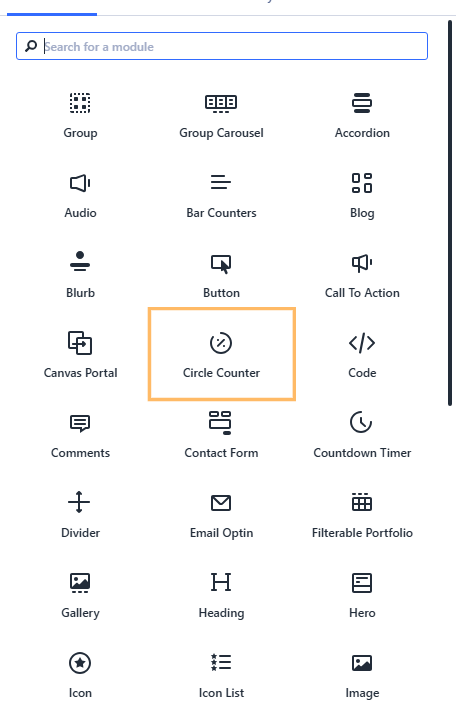
Start by adding a new Circle Counter module to your layout within the Divi Builder. In the module list, simply click "Circle Counter" to insert it into your row.
Add a Number Prefix and Hide the Percent Sign
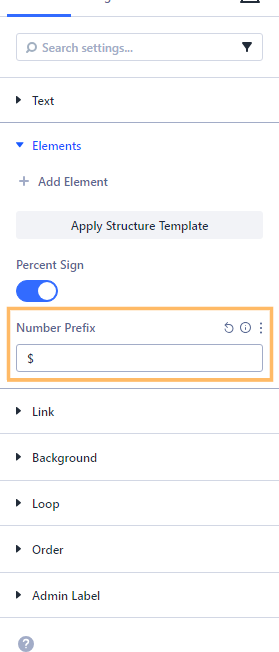
In the Circle Counter settings, under the Content tab, expand the "Elements" section. Enter your desirable prefix (like "$") into the "Number Prefix" field. If you wish, also turn off the "Percent Sign" toggle so only your custom prefix and the number will appear, without the default "%".
Style Your Number Prefix
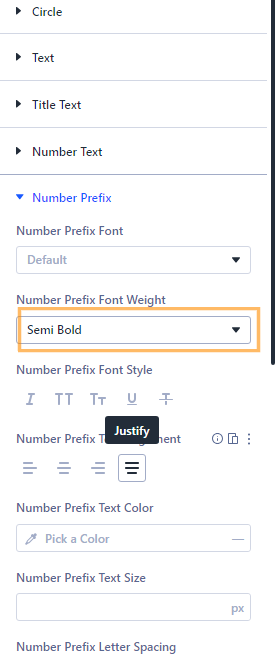
Switch to the "Design" tab of the Circle Counter settings. Find the "Number Prefix" section and expand it to access the styling controls. Here you can set the font weight (such as 600 for semi-bold), adjust the font size (for example, 18px), and choose a text color (like #222222 for a classic dark look). This lets your prefix match your site's style perfectly.
Save and Preview Your Changes
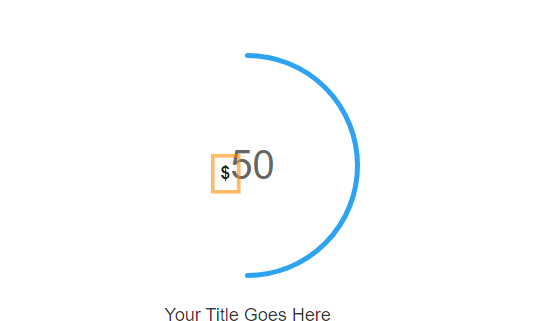
Once you've set your number prefix and styled it just the way you want, publish your changes and exit the Divi Builder. Then, view your page on the front end to see the effect. Your chosen prefix (such as "$") should appear directly before the counter's number, styled to match your settings. If you've turned off the percent sign, only your prefix and the number will appear, making your counter look exactly as you intended.
Conclusion
With just a few quick settings in Divi 5’s Circle Counter module, you can add and style a custom number prefix for your counters—perfect for displaying currencies, units, or any other label to improve clarity and match your site's design.


0 Comments